 YaoWise
All things in time
A quieter heart, a clearer path
Write down what you're going through and cast a hexagram in six taps. YaoWise uses the I Ching and AI to help you see it clearly.
iPhone & Android · 5 languages · Regular updates
Ask
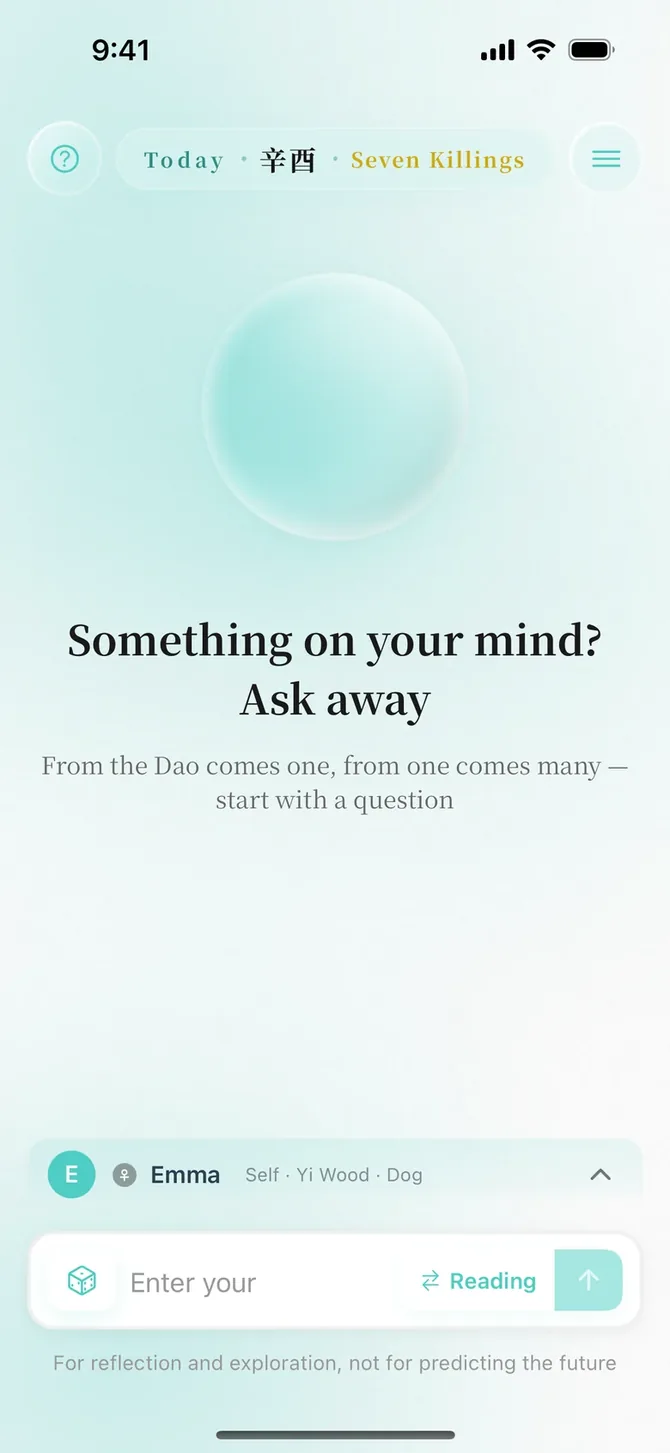
Write it down
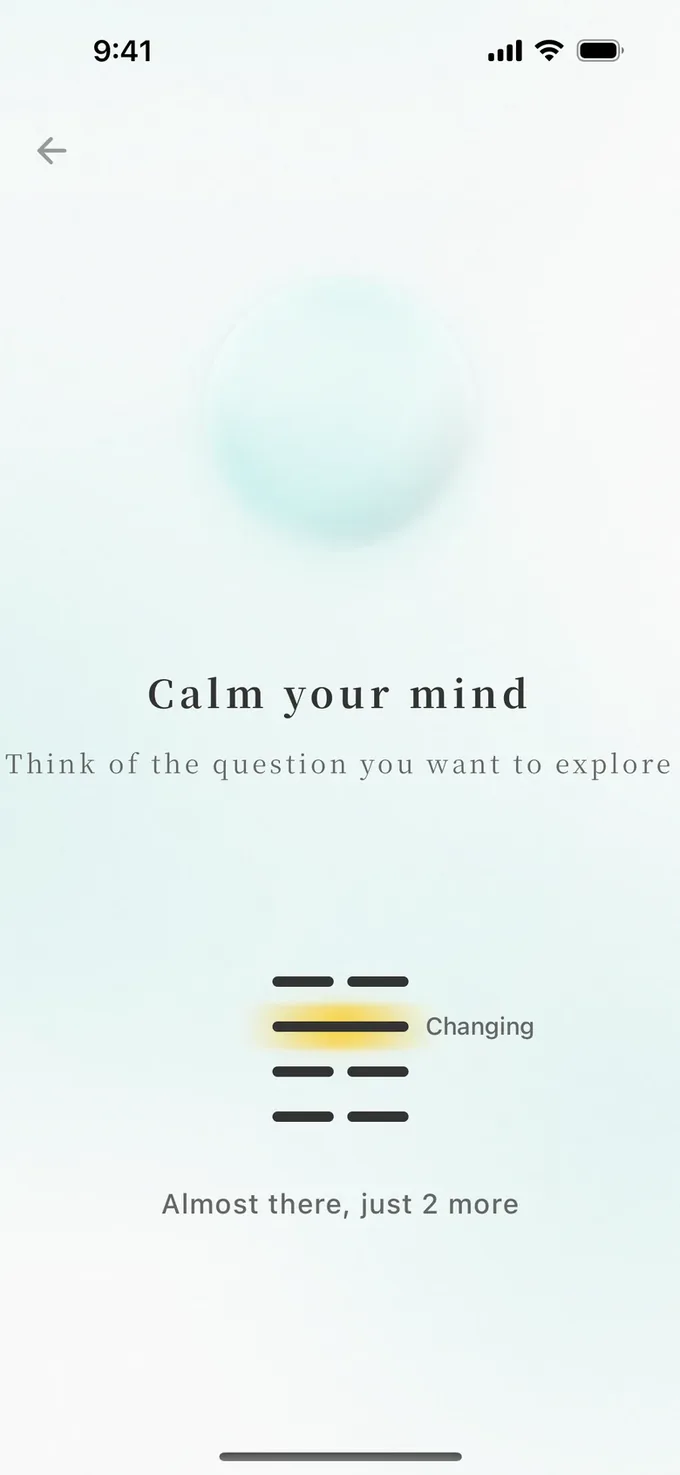
Tap six times and six lines form your hexagram. Your reading first responds to your question, then looks at where things stand, how they might turn and what you can do.
There are four reading styles. Switch styles and the conclusion stays the same.
- 01Not sure how to ask? Pick a topic and YaoWise helps you find the words
- 02Ask follow-up questions after reading
- 03Tossed your own coins? Enter your hexagram by hand
Labeled as AI-generated
Bazi
Who you are
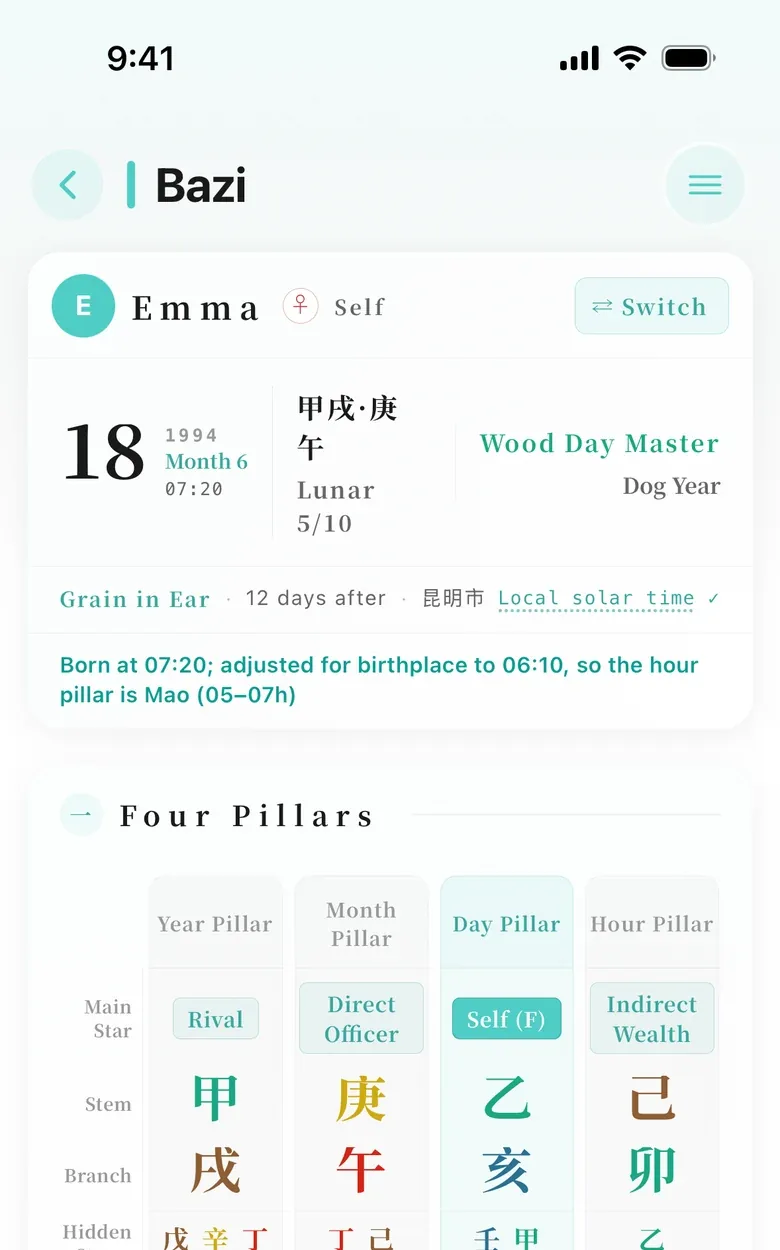
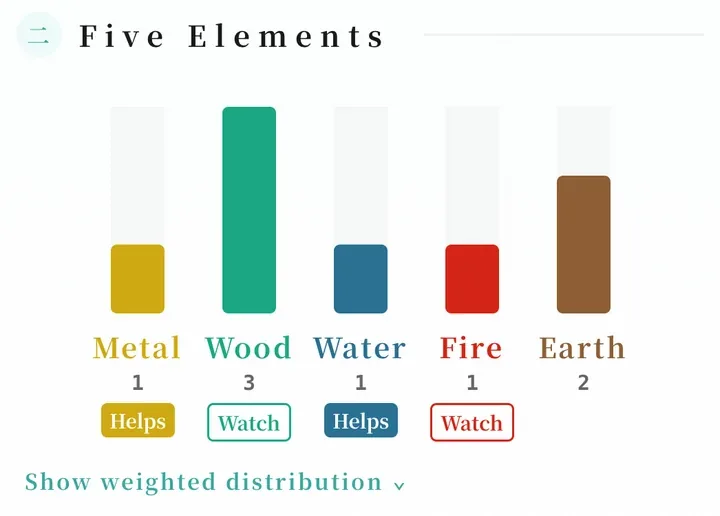
Bazi is the traditional Chinese birth chart. From your birth date and hour, YaoWise lays out your Four Pillars and Five Elements, then writes a short sketch of you in plain words.
Enter a Gregorian or Chinese lunar date. Not sure of the hour? Enter your best guess and change it later.
- 01Add your birth details to see your Four Pillars and a short sketch right away
- 02How your Five Elements balance out, with a short explanation
- 03Set up birth charts for your family too
Today
A look at today
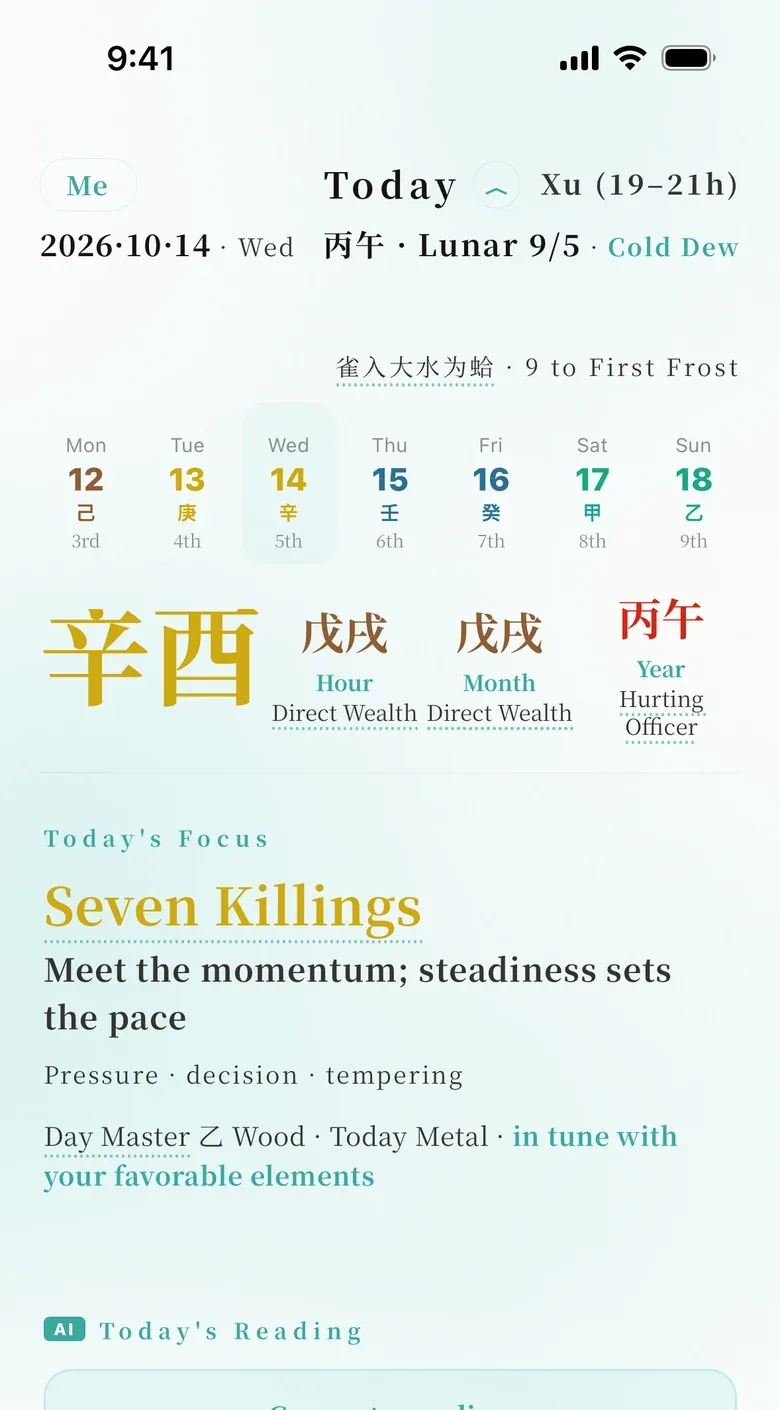
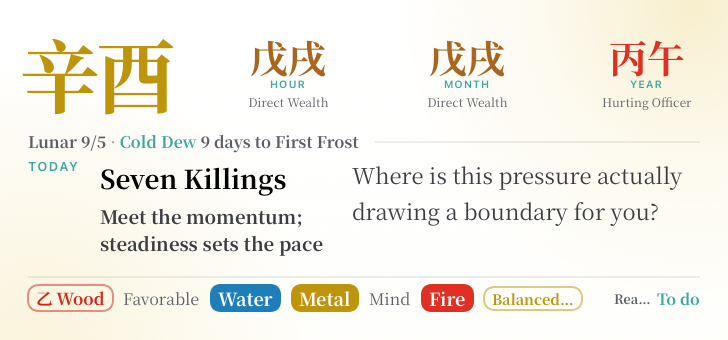
Each day in the Chinese calendar has a pillar, a pair of signs called a stem and a branch. See how today's meets your birth chart: one word, one sentence, one question to ask yourself.1
Where is this pressure actually drawing a boundary for you?
- 01Today's pillar, solar term and hour, the traditional markers of time
- 02What kind of day it is for you, based on your birth chart
- 03Keep today on your iPhone Home & Lock Screen2
Codex
Lit up as you ask
All 64 hexagrams of the I Ching are here, with original text and translation. Each time you ask, the hexagram you cast lights up in your Codex.

BI · ADORNMENT
亨。小利有攸往。
Success. It is slightly favorable to go forward.
- 01Every hexagram has its own card, ready to share with friends
- 02The original text and a translation, down to every line
- 03Jump to related hexagrams and see how often you've met each one
Calendar
When it's time
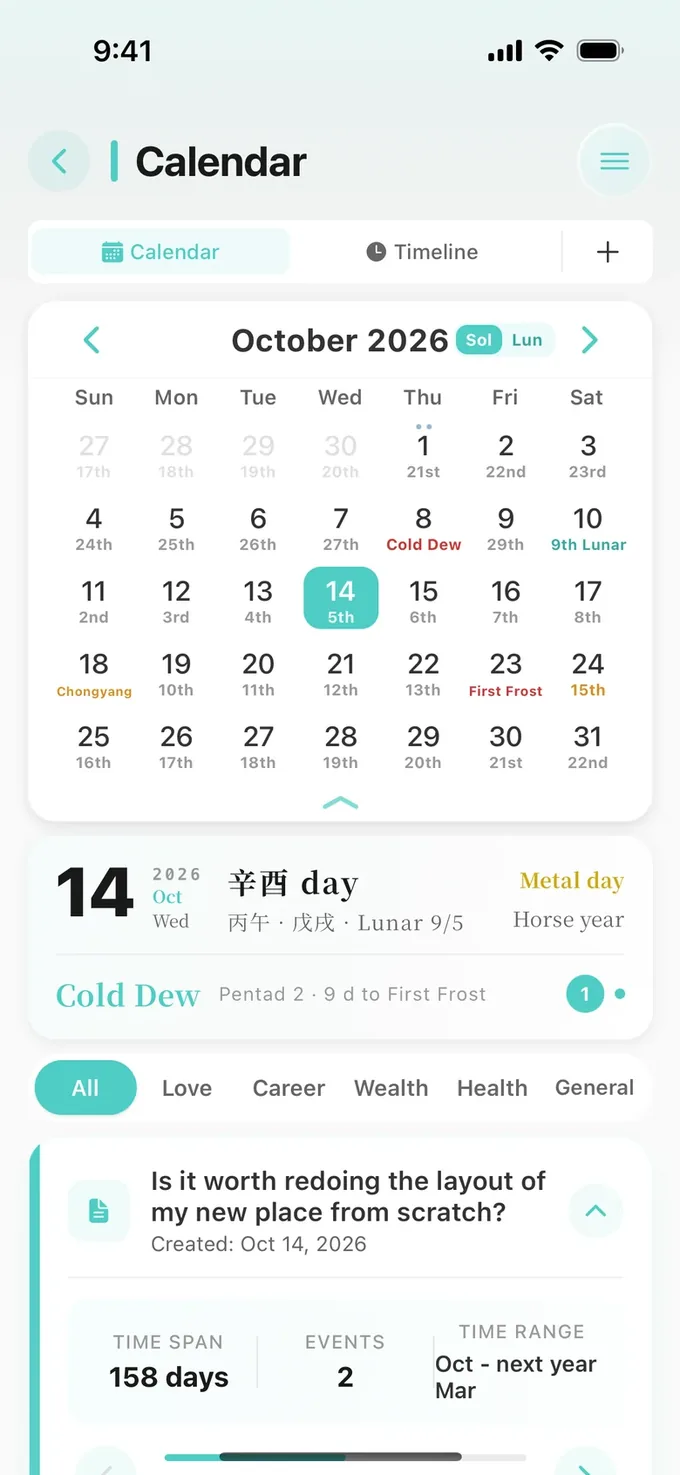
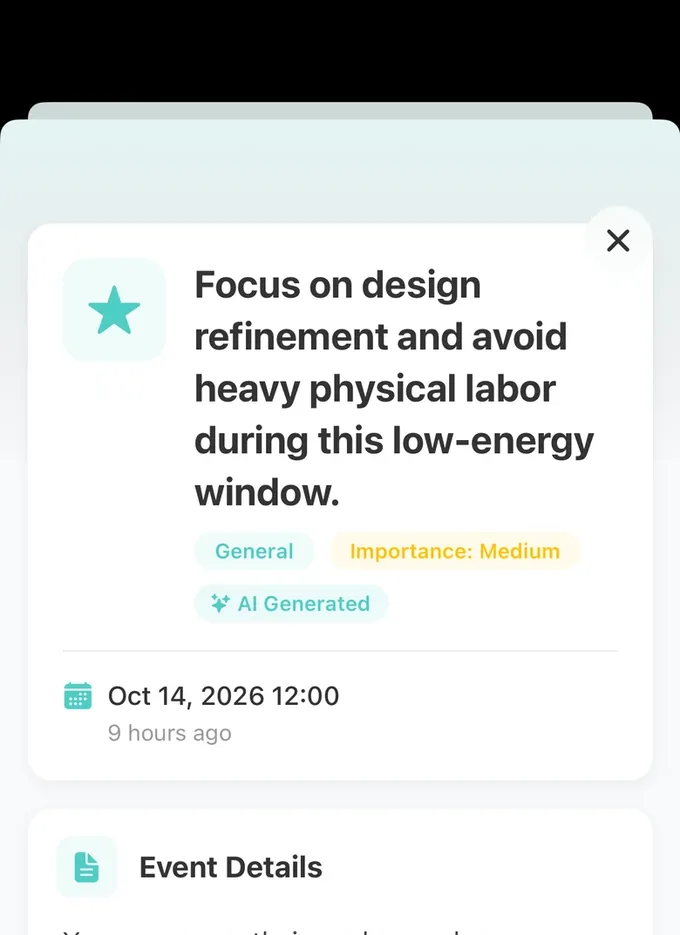
When a reading mentions a point in time, save it to your Calendar. When the day comes, YaoWise reminds you to look back.
Reminders won't flood your screen.
- 01Gregorian dates, lunar dates and solar terms, all on one calendar
- 02Save the key dates from a reading to your Calendar
- 03Look back and tell YaoWise how things turned out
And more
Simplified and Traditional Chinese, English, Japanese and Korean. Switch anytime in Settings, and readings are written in the language you choose.
A dark theme for quiet reading at night.
Finish a reading and turn it into a card to send to friends.
Kept for as long as you have an account, and searchable.
Create a profile for each family member or friend. Switch to theirs when you cast, and you're asking for them.
While reading, tap a hexagram's name or any line to see the original text.
Download YaoWise
All things in time
- 5 languagesIn your language
- iOS & AndroidWorks on both
- Your callDelete your data anytime
- Regular updatesShaped by feedback
Downloads may not work inside this app. Tap "···" in the top right corner and choose "Open in Browser".
This phone runs HarmonyOS 5 or later and can't install YaoWise for now. You can download it on an iPhone or another Android phone.
The app store didn't open? You can download the official APK instead.
App StoreiPhone and iPadRecommended Google PlayAndroid phonesRecommended Official APKAndroid · RecommendedHow to install the APK
- When the download finishes, tap the APK to open it.
- If you see "Install blocked" or a message about unknown sources, tap "Settings".
- Turn on "Allow from this source".
- Go back and finish installing.
 Scan with your phoneIt detects your phone automatically
FAQ
Contact YaoWise
Questions or ideas? Write to YaoWise anytime.
support@yaowise.comEmails usually get a reply within 7 business days, and no later than 15.
You can also leave a message in the app under ☰ → Settings → Help & Feedback.
What kind of app is YaoWise?
YaoWise draws on traditional Chinese cultural tools—the six lines of the I Ching and the stem-and-branch calendar—to help you sort through what's happening in your life. It's for reflection and exploration, not for predicting the future.
Do I need to know the I Ching?
No. Write down what's on your mind and tap six times to cast a hexagram. Readings are in plain language, and you can tap a hexagram's name to see the original text.
How are YaoWise readings written?
Readings are written by AI in plain language, based on the situation you describe, and each one is labeled as AI-generated. While reading, tap a hexagram's name or any line to see the original I Ching text. YaoWise keeps evolving based on your feedback.
How do I download and install it?
On iPhone and iPad, search for "YaoWise" in the App Store. On Android, get it from Google Play, or download the APK from this page. If your phone warns about "unknown sources", follow the steps in "How to install the APK" to allow the install.
How do I cancel my subscription or get a refund?
If you subscribed through the App Store, cancel on your iPhone or iPad in Settings → [your name] → Subscriptions, and request a refund from Apple. If you subscribed through Google Play, cancel in the Play Store app under your profile icon → Payments & subscriptions → Subscriptions, and request a refund through Google Play. Full details are in the Auto-Renewal Service Agreement.
What happens to what I write?
We don't use what you write to train AI models. You can delete your records and your account in the app, or email support@yaowise.com to request a copy of your data. How it's used and how long it's kept are set out in the Privacy Policy.
Will YaoWise keep adding features?
Yes. The I Ching has a lot more to offer, and YaoWise keeps building new features based on your feedback.
Which phones support the Home Screen and Lock Screen widgets?
Only iPhone for now, with iOS 17 or later and YaoWise 3.0 or later. Home Screen: touch and hold an empty spot, tap "Edit" at the top left, then "Add Widget" (on iOS 17, tap "+" at the top left), and search for "YaoWise". Lock Screen: touch and hold the Lock Screen, tap "Customize", then tap "Add Widgets" below the time.